Case Studies
Industrial Recruitment
Agency Automation
Our Client Is An Industrial Job Offering Agency. Their Core Business Is Simple But Impactful: They Collect Job Ads From Various Sources, Add Them To Their Website, And Help Job Seekers Find Work.

Time saved:
3h every day.

Over 90%
reduced costs

200% Increased
capacity

Reduced number
of errors
Client Overview
Before working with us, their entire operation was done manually. They had to write job descriptions from scratch, search for job opportunities, format each post, and then publish it directly onto their WordPress website. This took up a lot of time, introduced human error, and significantly limited how many job listings they could manage per day.
The Problem
The manual process was holding them back. It was slow, repetitive, and prone to inconsistencies. Each job post required a full cycle of copy-pasting, formatting, and rewriting, and there were no automated checks for SEO, category matching, or formatting rules.
They needed a system that could handle these tasks automatically while still allowing room for quality control and flexibility.
They needed a system that could handle these tasks automatically while still allowing room for quality control and flexibility.
The Solution: Full Workflow Automation
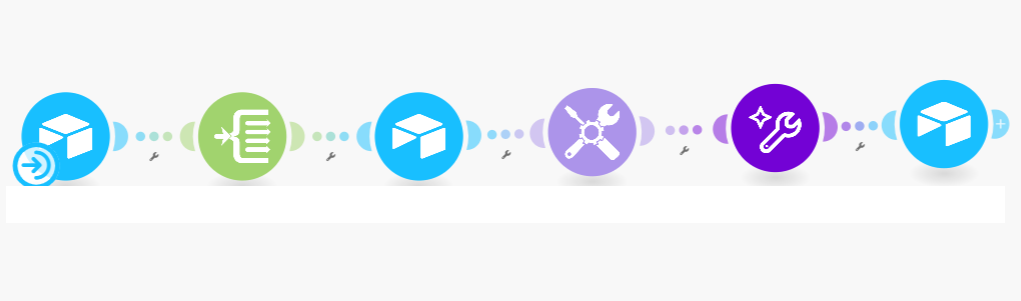
We built a custom automation system using Airtable, Make (formerly Integromat),
Make AI modules, and the WordPress API.
Here’s how it works.
The Results
After implementing the automation, the client saw major improvements:
- Time saved: What used to take 15-20 minutes per post now takes less than 1 minute of human input, saving a few hours every day.
- Increased capacity: The team can now publish more job listings per day.
- Cost savings: Reduced reliance on manual labor and saved significantly on AI usage with smart token management.
- Better SEO performance: Job posts now rank higher thanks to structured, optimized content.
- Fewer errors: The automated system applies formatting and category rules consistently every time.
Step 1: Airtable as the Central Hub
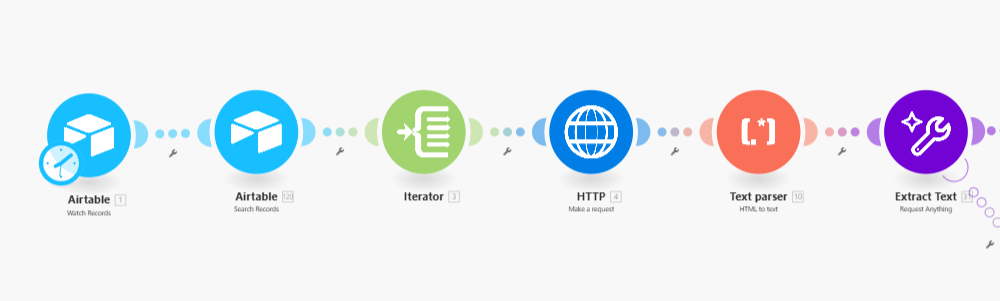
The client starts by pasting a job listing URL into Airtable. That’s it. From there, everything is
automated.
Using an HTTP request module, we pull the content from the provided link.
Then we run the content through an AI-powered parser that extracts key elements like job title, description, requirements, benefits, and application instructions.
We also clean the text—removing ads, irrelevant info, and formatting issues.
Using an HTTP request module, we pull the content from the provided link.
Then we run the content through an AI-powered parser that extracts key elements like job title, description, requirements, benefits, and application instructions.
We also clean the text—removing ads, irrelevant info, and formatting issues.
Step 2: Splitting and Structuring the Content
Once the raw text is parsed, we split it into distinct sections. These include:
- Job title
- Summary or intro paragraph
- Responsibilities
- Requirements
- Perks or benefits
- Application method
Each of these is treated as a separate data field, which helps us enforce consistency and control. We follow strict internal rules on what each section should contain, how it should be phrased, and
what should be excluded. This ensures every post feels clear, professional, and tailored to job
seekers.
Step 3: SEO Optimization with AI
To help the client rank better in search engines, we integrated AI-driven SEO tools. Every post is
analyzed and optimized automatically:
- The job title is refined to include high-intent keywords
- A slug is generated for the URL
- A custom meta description is created
- Keyword density is calculated and balanced to avoid overuse
Step 4: Mapping Job Locations
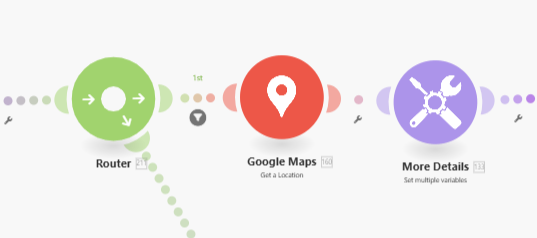
Many job ads only include a basic address. To display location maps on the website, we built a step
that converts plain addresses into geographic coordinates using Google Maps integration.
These coordinates are then added to the post so the map can be automatically generated and embedded on the site.
These coordinates are then added to the post so the map can be automatically generated and embedded on the site.
Step 5: Reducing Token Usage with Make functions.
Not everything needs to be processed by AI. To save on AI token usage (and cost), we built logic
into the system using Make’s built-in functions.
For example, when a category can be identified with a keyword match or when a calculation is straightforward, we use Make’s native tools. AI is only used where human-like understanding is actually needed – like summarizing a job description or matching it to nuanced categories.
For example, when a category can be identified with a keyword match or when a calculation is straightforward, we use Make’s native tools. AI is only used where human-like understanding is actually needed – like summarizing a job description or matching it to nuanced categories.
Step 6: Modular Automation Design
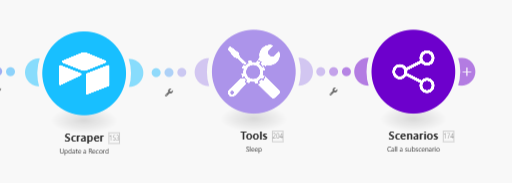
To keep the system flexible and easy to manage, we split the automation into multiple stages:
- The first handles scraping and parsing
- The second handles structuring and enrichment
- The third finalizes formatting and sends the content to the website
This modular structure makes it easier to troubleshoot, update, or expand the system in the future.
Step 7: Auto-Numbering and HTML Wrapping
Each job listing on the client’s website has a reference number.
To maintain order, the system checks the latest number in Airtable, calculates the next one,
and appends it to the post.
We also wrap all the content in HTML before it goes to WordPress.
This ensures the formatting is clean, consistent, and visually appealing when published on the site.
This ensures the formatting is clean, consistent, and visually appealing when published on the site.
Step 8: Publishing to WordPress via API
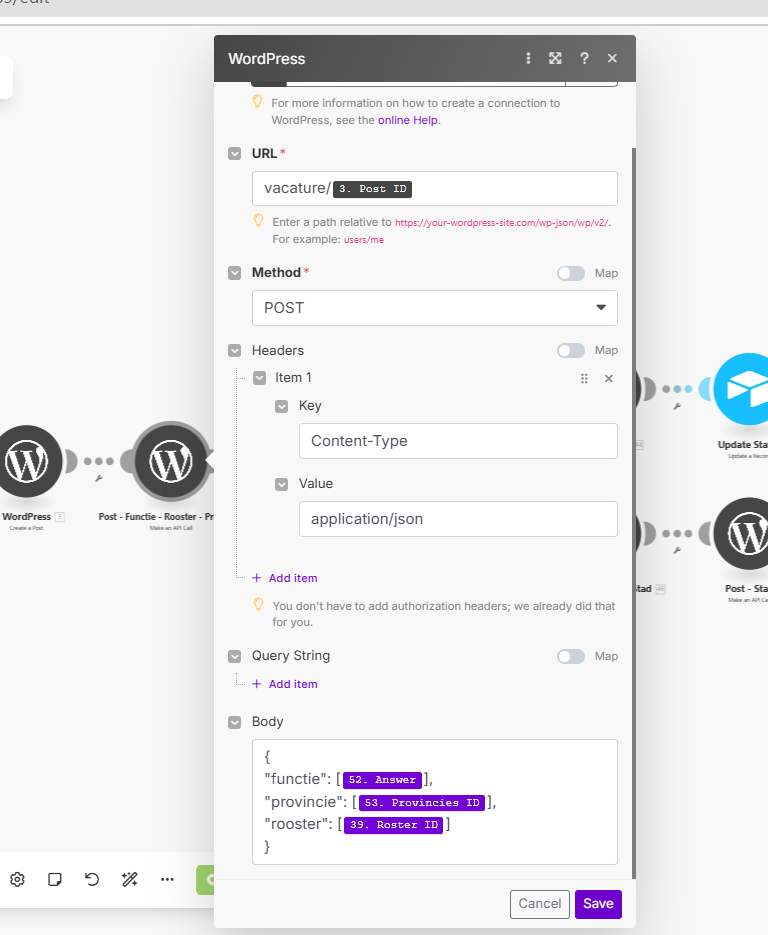
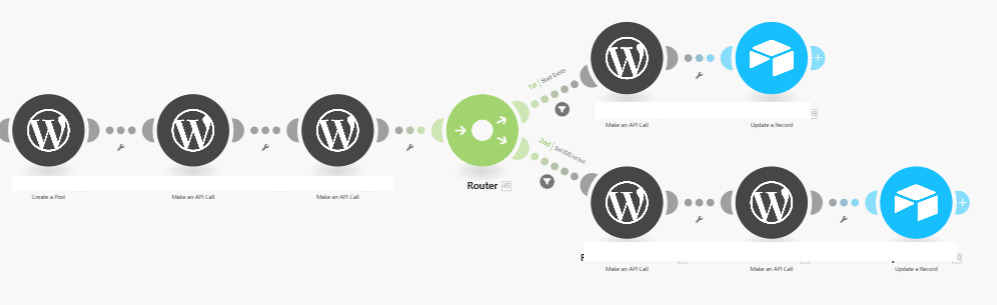
To publish posts to the website, we use Make’s built-in WordPress modules. These modulessimplify the process by handling authentication and data formatting for us.
Using this method, we can publish:
Using this method, we can publish:
- Custom post types
- SEO fields
- Taxonomies
- Featured images
Step 9: Handling Custom Taxonomies
The client’s website uses custom taxonomies and hidden category IDs that are stored in the
backend. These IDs aren’t visible to regular users, so we had to build a workaround.
We first pull a full list of category IDs using an HTTP request. Then we use AI to match the job
post to the correct category based on keywords and context. Once matched, we insert the ID
into the post data before publishing it.